I grew up in a decidedly under developed country1, and with that came under developed internet infrastructure - for the longest time it was all but non-existent. Then cellular internet slowly rolled out, but was (or is still) slow, expensive, and unreliable. I learned to program in this environment, where heavy dependencies had a very tangible cost associated with them - both time and money.
I would even build elaborate Excel spreadsheets just to be able to track my remaining data allowance before my plan would run out, and meter myself to make it stretch the whole distance. Ad-blocking was a must - good luck loading anything heavy on patchy 3G speeds. Video streaming was squarely out of the question. At times, I would block all images entirely just to be able to browse text tutorials more easily.
And yet, I was productive. I learned to be patient, to think rather than be lazy and web search. I would read local docs, I would plan ahead, work in parallel with downloads, and budget my resources for maximum benefit.
I have since moved to a more developed country2, and enjoy the benefits of a well developed internet infrastructure3. But old habits die hard, and I’ll not allow myself to become lazy when developing my own site/software and bloat it unnecessarily. It might not matter so much to me, but I’ve been there long enough to care about optimizing content delivery to be as lean as possible.
And so it is that I want to document some of the approaches I have taken to minimizing site loading time and data usage.
Tradeoffs
You can’t have everything, so I have a few preferences I make decisions around:
- If new browsers universally support a useful feature, I’ll use it, even if slightly old browsers don’t support it
- Where something can be precomputed, I prefer to do so - clients shouldn’t be responsible for any data processing if possible
- RSS reading must be a first class citizen
(Images) Under Pressure
Lossy
JPEG is great, and universally supported, but somewhat inefficient.
Yes, you can optimize (jpegoptim, etc), but really there are better codecs.
WEBP is decent, and worth a try, but really, we should go all the way and implement AVIF.
It’s well supported4 these days, so it’s the best option for efficiently serving images.5
Bracketing
So now the question is, how to serve the most optimal image for every given client?
Part of my solution is to pre-encode many size brackets of each AVIF image for use in srcset6, so the client will pull the closest to 1:1 scale image possible.
This gets us pretty far along towards an optimal page - images look crisp, and so long as we chose a reasonable encoding quality there is limited visual degradation.
For those that want it/can afford it, I also encode -hq versions of each image with much better quality at the cost of increased data transfer.
Visual Quality vs Encode Quality
“So long as we chose a reasonable encoding quality” is doing some heavy lifting.
In short, constant encoder quality number != constant visual quality.
Picking one number for the whole site leaves some images bloated and others very much degraded.
To this end, I measure SSIMULACRA2 per encode and tweak encode quality until I reach my target visual quality, as measured against the lossless resize of the source (resize quality != encode quality).
The site ships two visual quality targets, 65 for the bandwidth-tuned ladder and 85 for the -hq siblings.
(Soul) Searching
Initially, I had a naive approach, probing quality upwards until the score cleared the bar.
That worked but was slow - at -s 0 a single large encode is tens of seconds, and every probe is an encode plus a decode plus a metric run.
Binary search helped, and for a 30–85 window cost about six probes.
But bisection throws away useful info about each probe, so the search is a damped secant root-find on score(q) - target.
Measured on this corpus:
| Content | Near target | SSIMULACRA2 points per quality point |
|---|---|---|
| Photograph, 4:2:0 | 65 | 1.0 – 1.5 |
| Photograph, 4:2:0 | 85 | 0.33 – 0.45 |
| Screenshot, 4:4:4 | anywhere | 0.19 – 0.29 |
The table above only ever seeds the first step. From the second probe onward the slope is the secant through this image’s own two measurements, so the search learns the specific curve it is standing on rather than trusting an average. Two guards: the search brackets highest quality that failed, and lowest quality that passed, clamps every proposal strictly inside it. So if a proposal lands on a quality already probed, it bisects the remaining bracket instead of wasting the encode. It’s done when a winner passes and the quality one step below it fails, proving nothing is left on the table.
To help future encode runs, every encode appends a row to a log, and a least-squares fit over that log gives a starting-quality for any given encode.
I refit after every encode because it’s far cheap enough than any probe encode.
The resulting four numbers live in src/q-model.env, which is committed, so a fresh clone inherits a converged search instead of relearning it from scratch.
By way of Example
Normal vs -hq
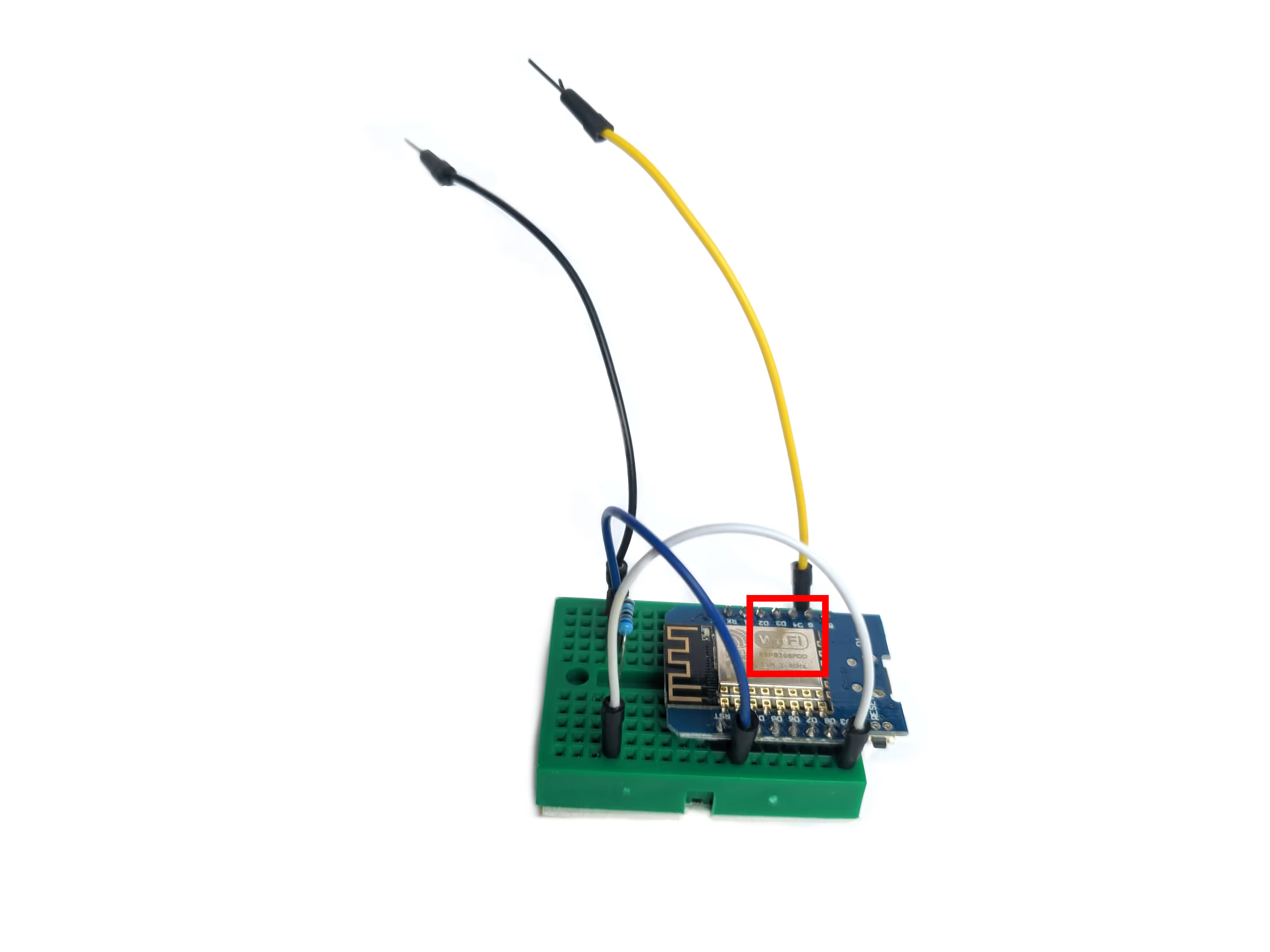
That patch is cropped out of the source photograph before anything encodes it, and then handed to the ordinary build twice — once at 65, once at 85. What you see below is those two files, served exactly as the encoder produced them: normal (SSIMULACRA2 65) on the left, -hq (85) on the right.
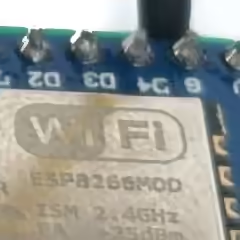
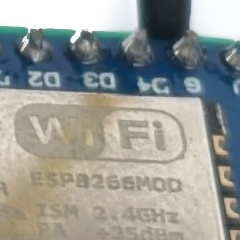
3 KB against 6 KB for the same 240×240 patch.
Both ship at native scale, one file pixel per encoded pixel, and your browser enlarges them with image-rendering: pixelated
As seen on this site
The image below ships both encodes straight from the usual responsive build. Use the image-quality toggle in the corner, which cycles LOW → MED → HI, to switch between them: MED is the bandwidth-tuned default, and HI swaps in the high-quality set. LOW is just the smallest sized wrung of MED.

At full resolution the normal encode is just 489 KB, against 2.2 MB for the high-quality one. I personally can’t see much of a difference in normal viewing conditions. At the smallest wrung (400px wide): the normal encode is just 4 KB, against 12 KB for the high-quality one. Note that clicking the image loads the largest resolution version of the image in whatever quality setting you’re in, so you can zoom in there if really want.




What this page actually cost you
Everything below is measured in your browser, for this visit. It updates live, so flip the quality toggle to and watch the image totals change the as browser refetches (likely from cache) the alternative quality.
| Asset | Transferred | Uncompressed |
|---|---|---|
| Currently loaded |
Lossless
PNG is great too, and likewise universally supported, but also inefficient.
Again, yes, you can optimize (oxipng, etc), but also again, better codec.
This time, it is WEBP.
Similarly, it’s well supported.7
Not everything is a photo
To help flavor the choice for WEBP for lossless images, here’s an example:
Every column is its format’s best effort on identical pixels: one canonical PNG is rendered first and handed to each encoder, cwebp -z 9 and avifenc -s 0 are both at maximum, and the PNG column is itself run through oxipng with Zopfli (which is dog slow, even worse than any other optimizer we see here).
| Content | PNG | WebP (lossless) | AVIF (lossless) |
|---|---|---|---|
| Photograph | 1.4 MB | 1.2 MB | 1.3 MB |
| Screenshot | 274 KB | 104 KB | 436 KB |
| Plot / graph | 29 KB | 16 KB | 75 KB |
| UI capture | 24 KB | 14 KB | 63 KB |
WEBP’s lossless mode wins every category, so the build routes photographs to lossy AVIF and everything else to lossless WebP.
WebP’s lossless mode, VP8L, shares almost nothing with its lossy path, while AVIF has no equivalent.
AVIF’s own working group says so, having weighed a reversible-transform fix worth 7–15% and declined it as not worth a spec extension.8
Quick maffs
A handful of posts here have mathematical notation, and the usual way to render it in a browser is KaTeX.
On a fast connection you might never notice, but it’s not acceptable for my goals.
At first, I vendored KaTeX to avoid overhead, which did help, but there’s a better option: MathML.9
Hugo’s transform.ToMath can emit presentation MathML instead of KaTeX’s HTML, eg:
So 21.7 KB of CSS and roughly 275 KB of WOFF2 are gone.
What ships now is the markup itself and a single inline CSS rule, emitted only on pages that actually contain math, giving block equations some breathing room and letting wide ones scroll instead of overflowing on a phone.
One wrinkle, transform.ToMath includes an <annotation> holding the original LaTeX so every formula showed up twice in RSS. The feed template strips the annotation, the page keeps it.
USA, mostly ↩︎
At developed country prices, a whole topic in itself ↩︎
JPEG-XLis neat but has limited browser support. ↩︎Still open as av1-avif#111, where the format’s own contributors concede that “the AV1 lossless compression mode has not been as finely tuned as the lossy modes” and that LZ77-style coding suits this content better. av1-avif#89 says “deciding we don’t care about lossless”, “since a purpose-designed codec for lossless like WebP-LL […] can usually outperform a hybrid block based codec like AV1”. ↩︎